Choose your bot and network
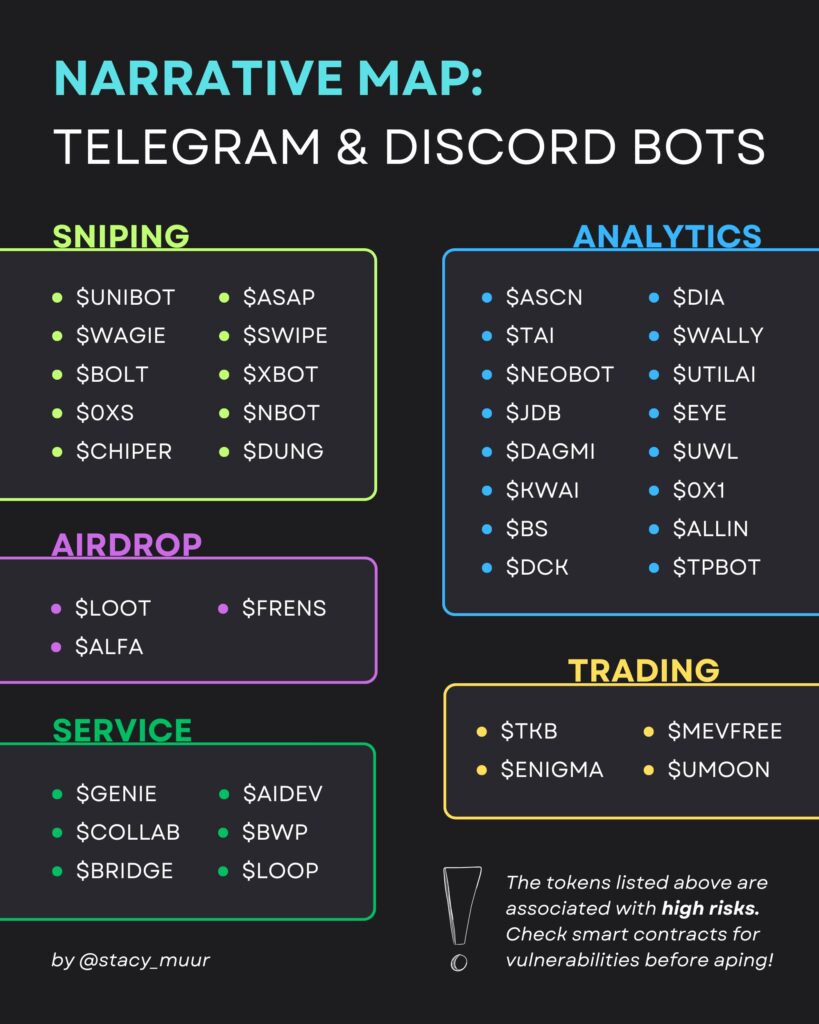
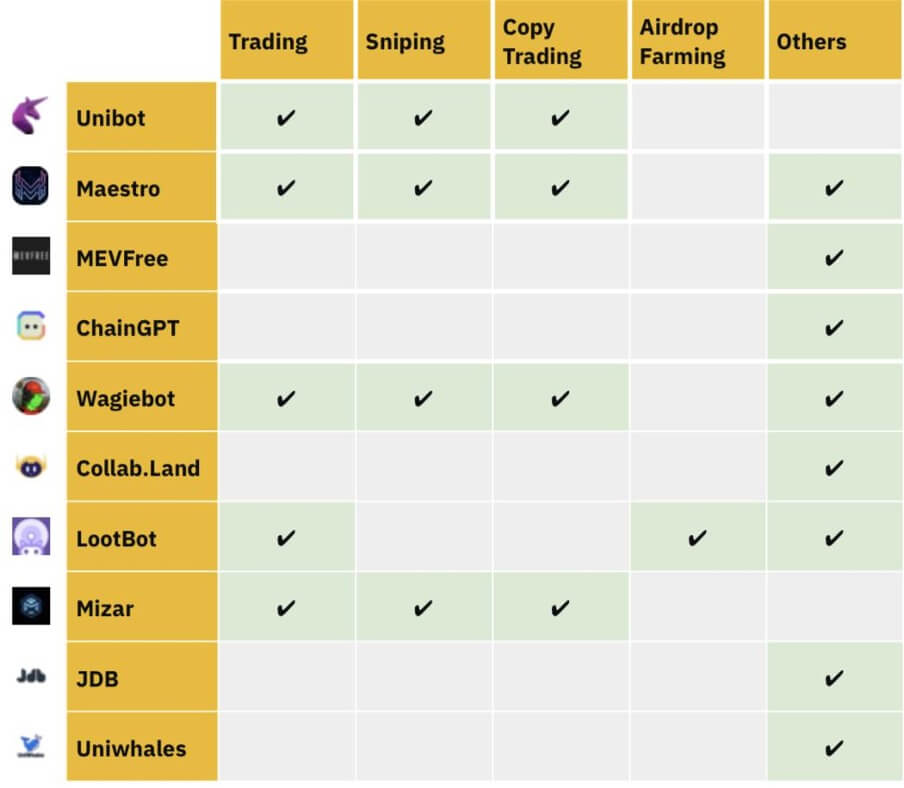
Selecting a Telegram trading bot requires matching the software to your primary blockchain and risk tolerance. The ecosystem is split between Solana-focused tools and multi-chain EVM bots. Your choice dictates your speed, fee structure, and security posture.
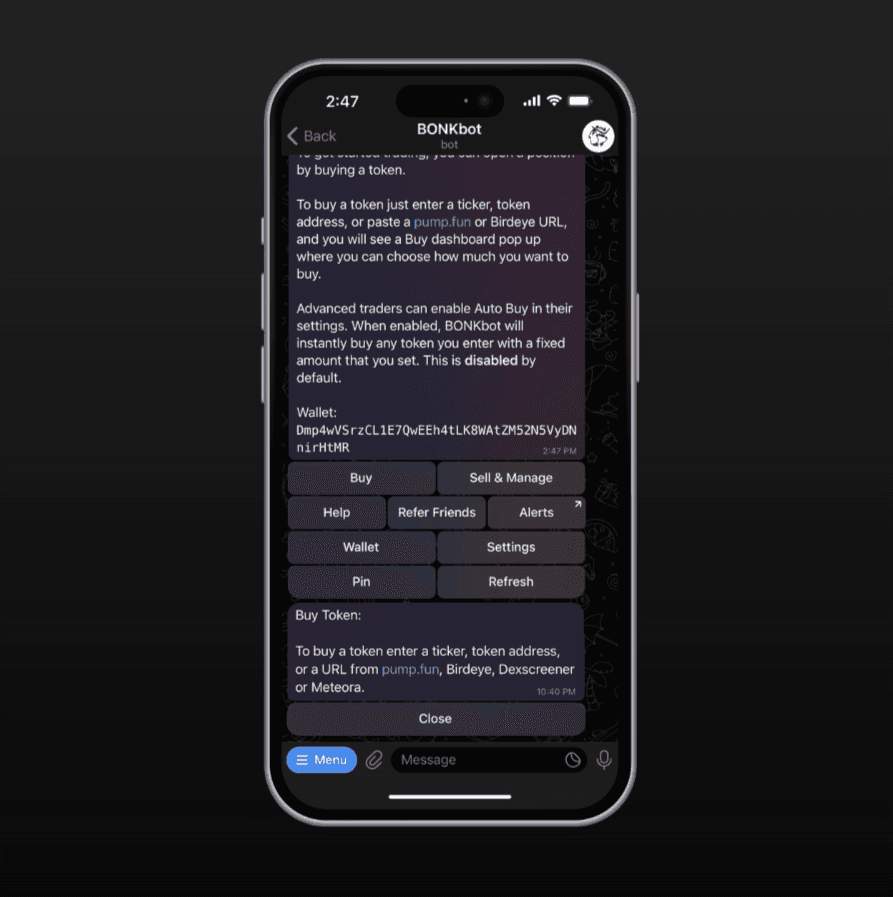
The table below compares the top performers by lifetime trading volume and technical capabilities. Trojan and BONKbot dominate Solana for their speed, while Maestro and Banana Gun offer broader EVM support with advanced execution features.
| Bot | Primary Chains | Fee Structure | Key Management |
|---|---|---|---|
| Trojan | Solana | 0.5% per trade | Non-custodial |
| BONKbot | Solana | 0.1% per trade | Non-custodial |
| Maestro | EVM, Solana | 0.5-1% per trade | Non-custodial |
| Banana Gun | EVM | 0.5% per trade | Non-custodial |
| SolTradingBot | Solana | 0.5% per trade | Non-custodial |

For Solana traders, speed is the primary metric. Trojan and BONKbot are optimized for the high-throughput Solana network, offering the fastest transaction execution for memecoin trading. BONKbot is particularly popular for its low 0.1% fee structure, making it cost-effective for high-frequency traders. Trojan offers a slightly higher fee but provides more robust anti-MEV (Maximal Extractable Value) protections.
If you trade across multiple chains, Maestro is the most versatile option. It supports major EVM networks like Ethereum, BSC, and Base, alongside Solana. This makes it ideal for traders who rotate capital between ecosystems. However, its multi-chain nature can introduce slight latency compared to Solana-native bots.
Security is non-negotiable. All reputable Telegram bots use non-custodial key management, meaning you retain control of your private keys. Never deposit funds into a bot that requires you to send your entire wallet balance to a single address. Instead, use a dedicated trading wallet with limited funds.
Before committing real capital, verify your setup with this checklist:
-
Confirm the bot supports your primary trading chain
-
Test with a small amount on a testnet or low-value token
-
Verify the bot uses non-custodial key management
-
Check if the bot offers anti-MEV protection for your chain
Connect your wallet securely
Telegram trading bots require a wallet connection to execute trades on-chain. The security of this connection determines whether your funds stay safe or get drained. Never connect your primary holding wallet directly to a bot. Instead, use a dedicated burner wallet.
A burner wallet is a fresh address created solely for interacting with the bot. It holds only the amount you intend to trade. If the bot is compromised or the connection is intercepted, your main portfolio remains untouched. This isolation is the single most important security step in setting up automated trading.
Open your primary wallet app (like MetaMask or Phantom) and create a new wallet or account. Label it clearly as "Bot Wallet" or "Burner." This ensures you can easily identify it later. Do not use an existing account with history or significant balances.
Navigate to the security settings of your new burner wallet and export the private key or 12/24-word seed phrase. Copy this data carefully. Most trading bots require the private key to sign transactions automatically. Never share this key with anyone else, including bot support teams.
Return to your Telegram bot chat. Look for a command like /connect, /wallet, or a "Connect Wallet" button in the bot's menu. Paste your private key or seed phrase into the designated field. The bot will verify the address and display the public key for confirmation.
Check that the public key displayed in Telegram matches the address in your wallet app exactly. Once confirmed, send only the trading capital you need for the immediate session. Avoid funding the wallet with large amounts; treat it like a cash wallet for daily spending, not a savings account.
After connecting, test the setup with a small trade. Verify that the transaction appears in your block explorer and that the bot confirms execution. If anything looks unusual, disconnect immediately and revoke the bot's permissions in your wallet settings.
Configure slippage and fees
Slippage tolerance and priority fees are the technical levers that determine whether your trade executes or fails. Set them too low, and your order gets stuck in the mempool. Set them too high, and you hand over unnecessary value to validators or front-runners.
Set slippage tolerance
Slippage is the difference between the expected price and the actual execution price. On volatile assets like newly launched tokens, prices can swing wildly in seconds. If you set slippage to 0%, your trade will likely fail if the price moves even slightly. If you set it to 50%, you risk buying at a price that makes the trade unprofitable instantly.
Aim for 1-2% for stable pairs or established tokens. For highly volatile meme coins or new launches, you may need 5-10% to ensure execution, but understand that you are paying a premium for certainty. Some bots offer dynamic slippage, which adjusts based on market volatility, but manual control is often safer for precision.
Warning: Setting slippage too high on volatile assets exposes you to significant losses. Always balance the need for execution certainty with the risk of unfavorable pricing.
Adjust priority fees
Priority fees (or tips) are small payments made to validators to prioritize your transaction in the block queue. During high network congestion, standard transactions may take minutes or hours to confirm. A higher priority fee ensures your trade is included in the next block.
Most Telegram trading bots include a slider for priority fees, often measured in micro-lamports (Solana) or gwei (Ethereum). For standard trades, the default setting is usually sufficient. During a market surge or airdrop claim, increase the fee to ensure your transaction isn't stuck behind others. Avoid maxing out the fee unless necessary, as this is pure overhead with no direct benefit to your trade's outcome.
Balance speed and cost
The goal is to find the sweet spot where your trade executes reliably without eroding your profit margin. Test these settings with small amounts first. Observe how your transactions behave during normal market conditions versus high volatility. Adjust your defaults accordingly, keeping in mind that speed often costs more, but failure costs everything.
Execute trades and monitor
Your bot is the execution engine, but you remain the pilot. Once configured, the workflow shifts from setup to active management. You need to understand how the bot interprets market signals, handles the inevitable friction of failed transactions, and how to keep a close eye on your open positions.
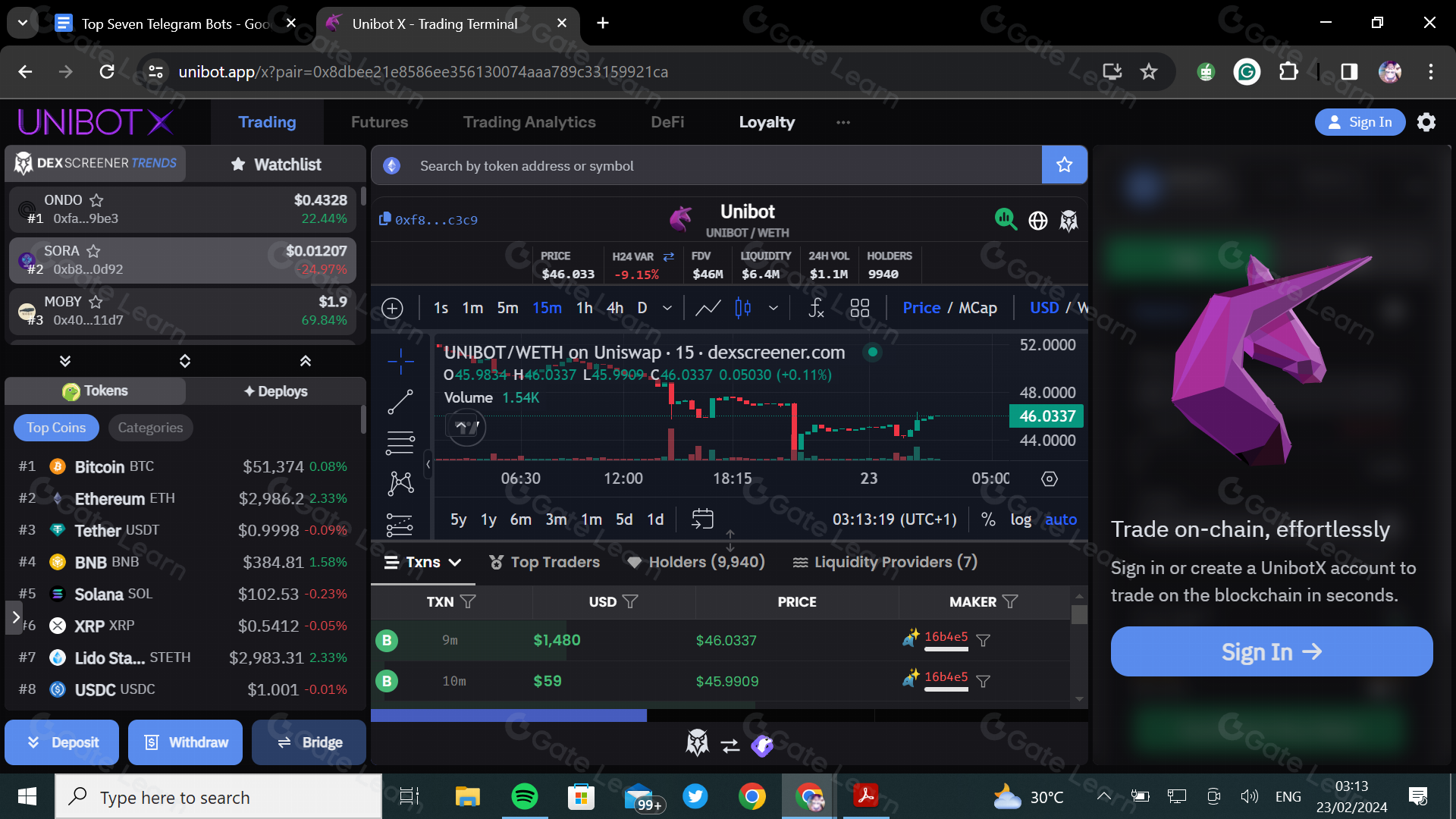
Define the specific conditions that trigger a trade. Most bots require you to set a trigger token, a buy amount (in USDT or native crypto), and slippage tolerance. Slippage is the difference between the expected price and the executed price; setting it too low causes failures, while setting it too high risks buying at a bad rate. Start with conservative defaults, typically 1-2% for stable tokens and higher for volatile meme coins.

Telegram bots provide instant feedback via chat messages. A successful trade will return a transaction hash (TXID) and a confirmation message. If the bot fails, it will usually return an error code. Common errors include "slippage exceeded" (the price moved too fast) or "insufficient balance." Do not ignore these messages; they are your primary link to the blockchain state. Keep the bot chat pinned for quick reference.
Failed trades are normal in high-volatility environments. If a transaction fails, do not immediately re-send the same order. Wait for the market to stabilize or check if the token contract has changed. Manually verify the TXID on a block explorer like Etherscan or Solscan to ensure your funds were not lost. If the transaction is stuck, you may need to increase the gas fee or cancel the pending transaction through your wallet interface.
Use the bot’s dashboard or command list to monitor active positions. Set up take-profit and stop-loss commands to automate exits. For example, you might command the bot to sell 50% of your holdings if the price doubles, securing your initial investment. Regularly review your trade history to identify patterns in your bot’s performance and adjust parameters accordingly.
The chart above illustrates the volatility you will face. Notice the volume spikes; these are often when bots execute trades. Understanding these patterns helps you anticipate when your bot is most likely to trigger or fail.
Avoid common bot mistakes
Telegram trading bots offer speed, but that speed amplifies human error. One misconfigured setting can drain your wallet in seconds. Treat your bot configuration like a financial instrument: test it, verify it, and never assume the defaults are safe.
Don't leave funds in the hot wallet
Most bots require API keys or direct wallet connections to execute trades. If you keep your entire portfolio in the same wallet connected to the bot, a compromised key or a buggy script exposes everything. Use a dedicated "burner" wallet with only the capital you intend to trade. Move profits to cold storage immediately after successful trades.
Ignore contract risks
Bots execute commands blindly. If you paste a scam token address, the bot will buy it without hesitation. Always verify the contract address on a block explorer like Solscan or Etherscan before adding it to your watchlist. Check for liquidity locks and ownership renunciation. A bot cannot distinguish between a legitimate project and a honeypot.
Misconfigure auto-buy limits
Setting an unlimited auto-buy order is a fast way to lose everything. Define a strict maximum per transaction. If you want to buy $50 worth of a token, set the limit to $50, not "max balance." This prevents slippage from eating your position and stops you from accidentally dumping your entire stack into a volatile meme coin.
Telegram Trading Bots FAQ
Telegram trading bots execute trades directly through your chat interface, but they operate with a different risk profile than standard exchange wallets. Because these bots require access to your private keys or API permissions, understanding the mechanics of security and cost is essential before placing capital.
No comments yet. Be the first to share your thoughts!